
Guides / Night Roll
Getting started with Night Roll
From first launch to a looped, slowed-down passage with your own section and chord marks.
- Night Roll
- Night Roll Web
First launch
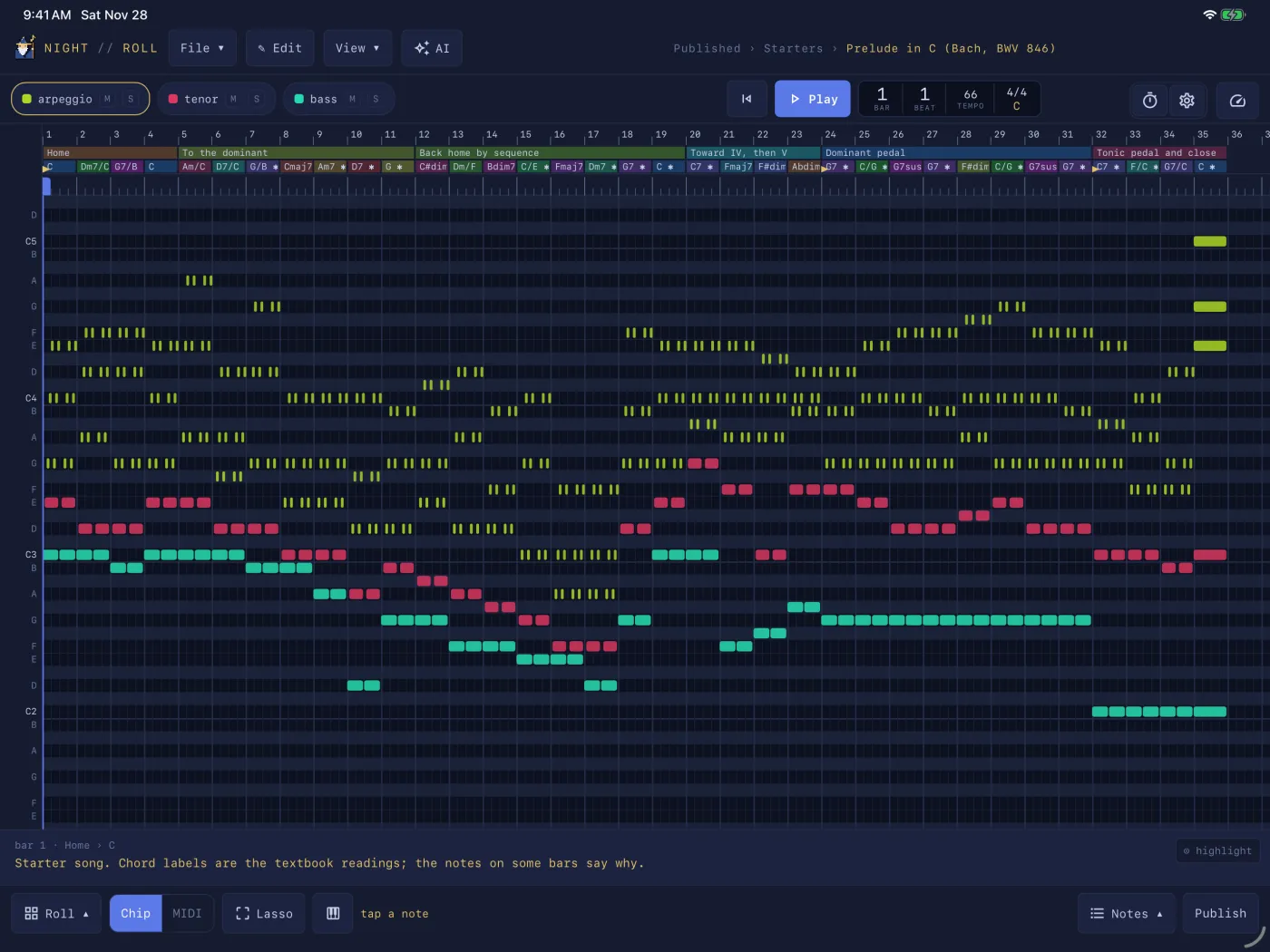
Night Roll opens with four annotated public-domain piano pieces: Bach's Prelude in C, Satie's Gymnopédie No. 1, Beethoven's Für Elise and the first movement of the Moonlight Sonata. Start with one of them.
- Open a song: File › Open in Night Roll Web, or tap the album and then the song in the sidebar in Night Roll.
- Press Play. The roll follows the playhead; every track has its own color.
- Tap a note to hear it and read its pitch, bar and beat. Lasso a group of notes to list them. Pinch to zoom.
See it your way
- View ▾ switches between the piano roll, the engraved score and one lane per track.
- The track chips along the top show each track; mute (M) and solo (S) are on each chip, with volume and voice in the mixer.
- On a game-music song, the Chip | MIDI switch at the bottom left picks what you hear: the original sound-chip voice, or the same notes on instrument voices.
Practice: loop, slow down, count in
- Loop a passage. Drag across the bar ruler to select bars, then play: the selection loops.
- Slow it down. Tap the speedometer in the top row: 25% to 200% in Night Roll Web, 50% to 150% in Night Roll, with the pitch kept. A 100% button snaps back.
- Count in. The metronome (⏱) clicks in the song's meter, with a one-bar count-in.
- Hear a loop's join. The loop seam plays the bars before a jump and the bars after it, back to back, over and over.
Mark what you hear
Annotations are your sections, chords, keys, meter, tempo changes, loop points and notes, anchored to the beat and saved with the song.
- A song that came with the app is read-only. Tap ✎ Edit locally (Night Roll Web) or Edit a copy (Night Roll) to make your own copy.
- Add a section or a chord from the ruler bands above the notes.
- Your marks show above the notes, and in the score.
In Learning mode (the default) the app doesn't name keys, chords or meters for you. How the two modes differ.
Write your own
- File › New starts a song. Turn on editing and pencil notes onto the grid; change velocity, quantize, transpose, split and join.
- The Drummer and the Bassist sketch a part over bars or a section you name.
- Export the score as printable pages or PDF, MusicXML or text tab. Night Roll also exports MIDI.