

Your video-game music, note by note Coming soon
Import your game music. Watch every channel play.
Bring in the video-game music files you own, from 8-bit consoles to the 64-bit era and the generation after. Retro Player plays them with their original sound-chip voices and shows every channel as its own colored track while it plays, in the background and from the lock screen too.
- iPhone & iPad
- $2.99
- No account
- No downloads
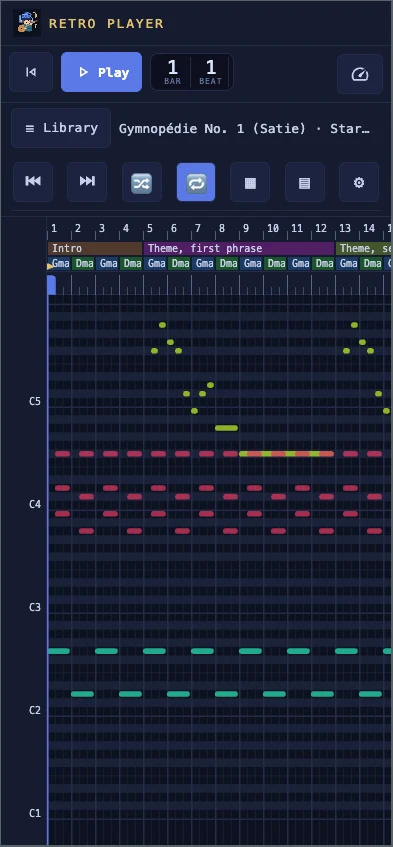
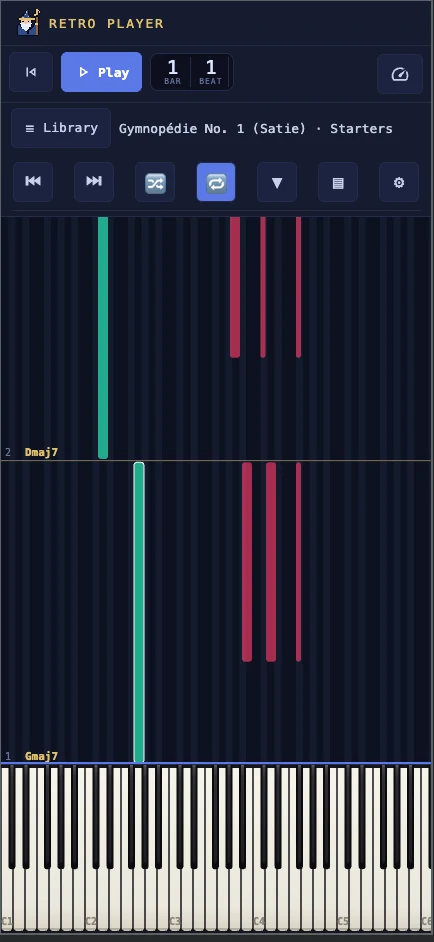
Bring in your own game music
The files you own, played with the original chip sound
Import from Files or share from any app. A single file, a whole set, or a zip with its playlist: the set lands in your library with its tracks named and in order.
- NSF8-bit home console.nsf
- GBS8-bit handheld.gbs
- VGM8- and 16-bit sound chips.vgm .vgz · plays on instrument voices
- SPC16-bit home console.spc
- PSF32-bit era.psf .minipsf + .psflib
- USF64-bit era.usf .miniusf + .usflib
- PSF2The generation after.psf2 .minipsf2 + .psf2lib
- MIDI & ZIPPlus zips of any of these.mid .zip (+ .m3u)
- Every channel, its own track. Each sound channel scrolls by in its own color on the piano roll.
- The original sound. NSF, GBS, SPC, PSF, PSF2 and USF play through our own emulation of the original sound chips. VGM files play on instrument voices.
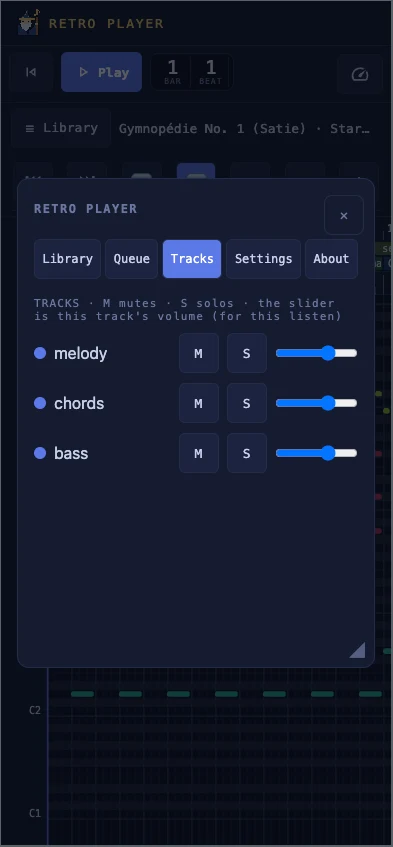
- Mute, solo, turn it down. Hear what's underneath the melody, solo the bass line. Nothing you do changes the file.
- Keeps playing. Background playback, lock-screen and headphone controls.
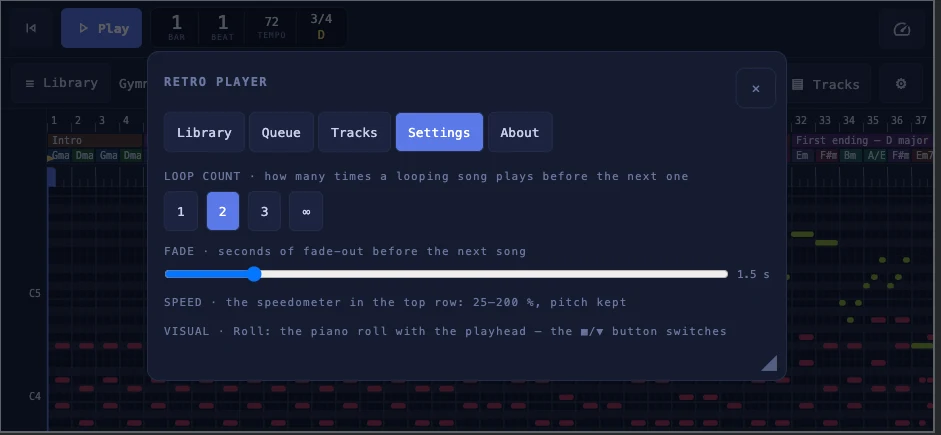
- Loops that end. Choose how many times a looping song plays (1, 2, 3 or forever) and how long it fades.
Files you own. Retro Player includes no game music, has no catalog or store, and links to no file archives. Import tips
See it play
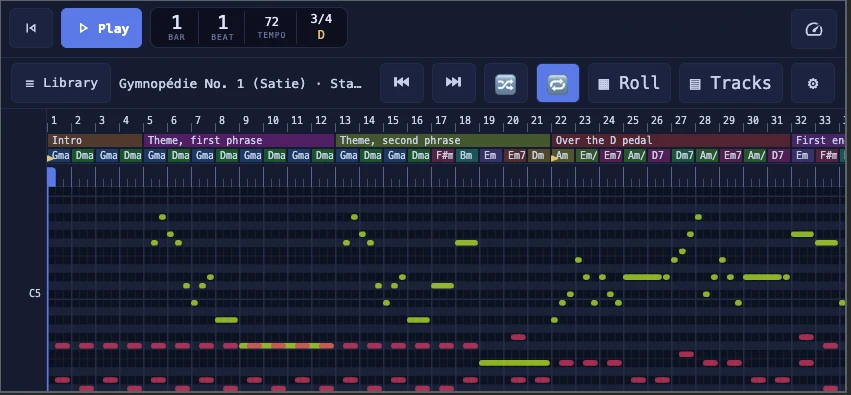
Roll and Fall
- Each track in its own color, with a playhead that follows the song.
- Fall view drops notes onto a keyboard as they sound.
- Speed from 25% to 200% with the pitch kept.
Listen your way
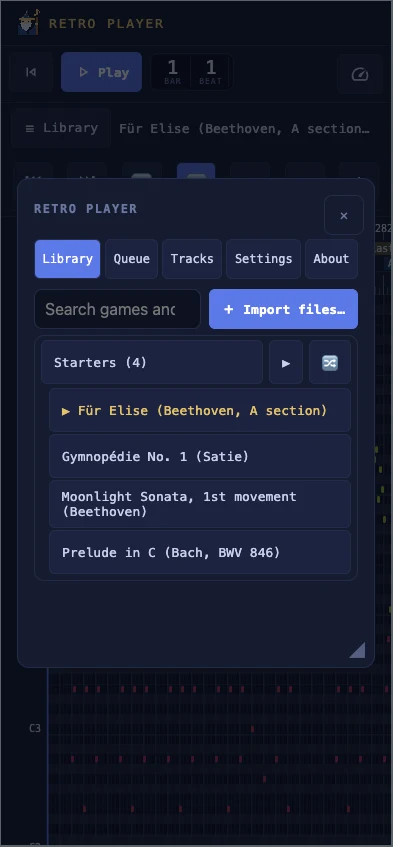
A library, a queue, and every track under your thumb
- Library of your imports, organized by set, with search.
- Queue, shuffle, repeat all or one.
- Loop count (1, 2, 3 or forever) and fade length for songs that loop.
- Per-track mute, solo and volume.
- Background playback, lock-screen and headphone controls.
Your files, your device
No catalog, no downloads, no links
Import from Files or any app's share sheet. Everything stays on your iPhone or iPad: no account, no tracking, no downloads, no ads.
The app comes with four public-domain piano pieces (Bach, Beethoven, Satie) so there is something to play on first launch. All other music is what you bring.
Use music you have the right to play: your own chiptune compositions, homebrew releases, and files you own. Retro Player includes no third-party music and links to no file archives.
System requirements
| Devices | iPhone and iPad |
|---|---|
| Requires | Listed on the App Store at launch |
| Price | $2.99, one-time. No in-app purchases. |
| Network | None. The player makes no network requests of its own. |
| Status | Coming soon |
Questions
Where does the music come from?
From you. Retro Player has no store, catalog or browser, and ships only four public-domain piano pieces. Import files you made or have the right to use, from Files or the share sheet.
Does muting a track change my file?
No. Mute, solo and volume apply to what you are hearing right now. The file is never changed.
Some files came as a set with a playlist.
Import the zip as it is. The player expands it, keeps the set together, and uses its .m3u playlist to name the tracks.
Is this the same as Night Roll?
No. Night Roll is a music editor for study, writing and export. Retro Player only listens, and it runs on iPhone too.