

Guitar practice that listens
Play it. Hear exactly what happened.
Night Roll Fretworks listens to your guitar and tells you which note you played, how many cents off it was, and in a drill, which notes were right and which were early, late, wrong or missed.
- iPad
- $14.99 one-time
- No account
How a practice run works
One to three stars, and the reason why
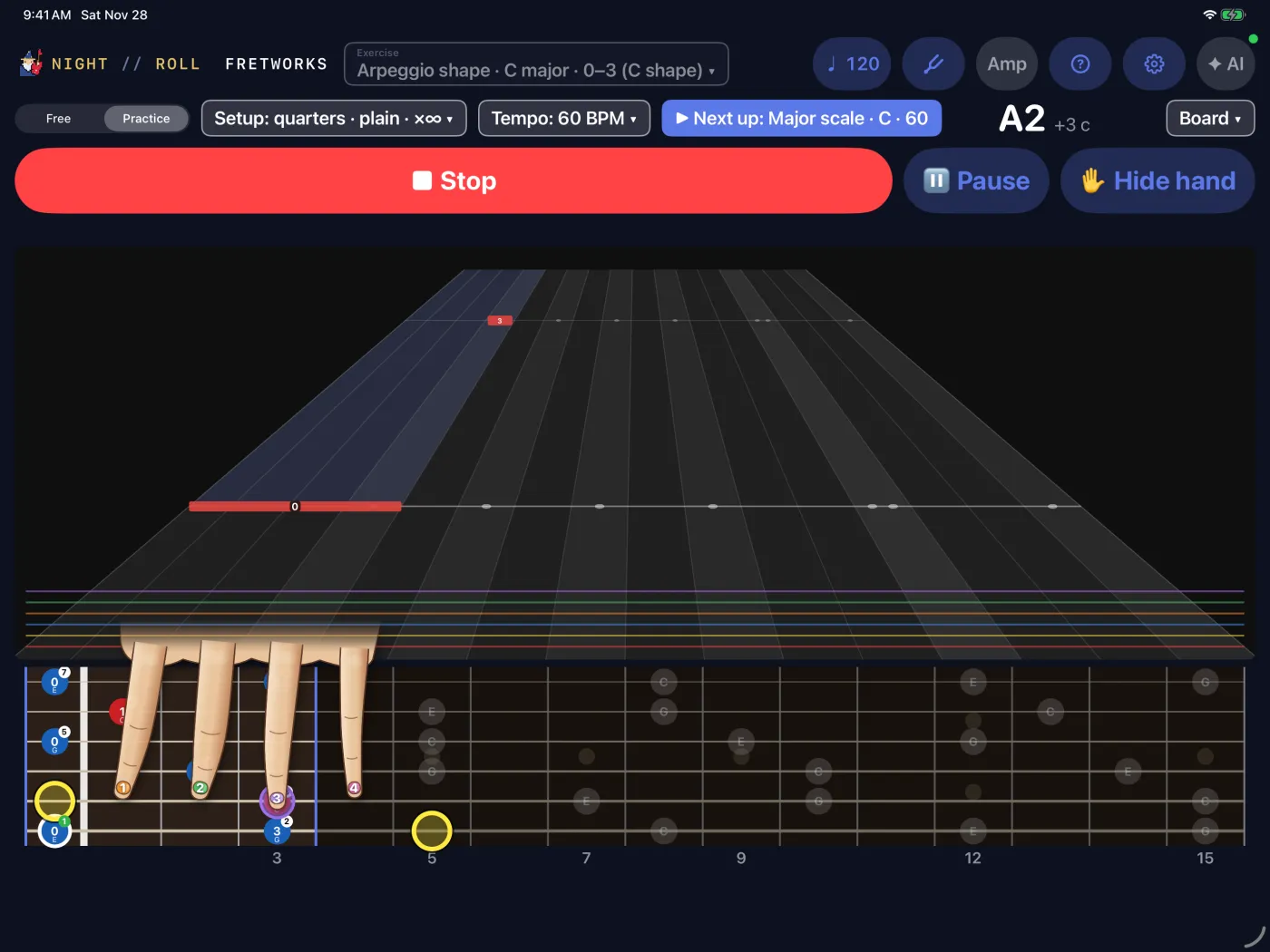
- Pick an arpeggio or a scale, a root and a position on the neck.
- Press Show me to watch a hand finger it, or Start for a count-in and a graded run.
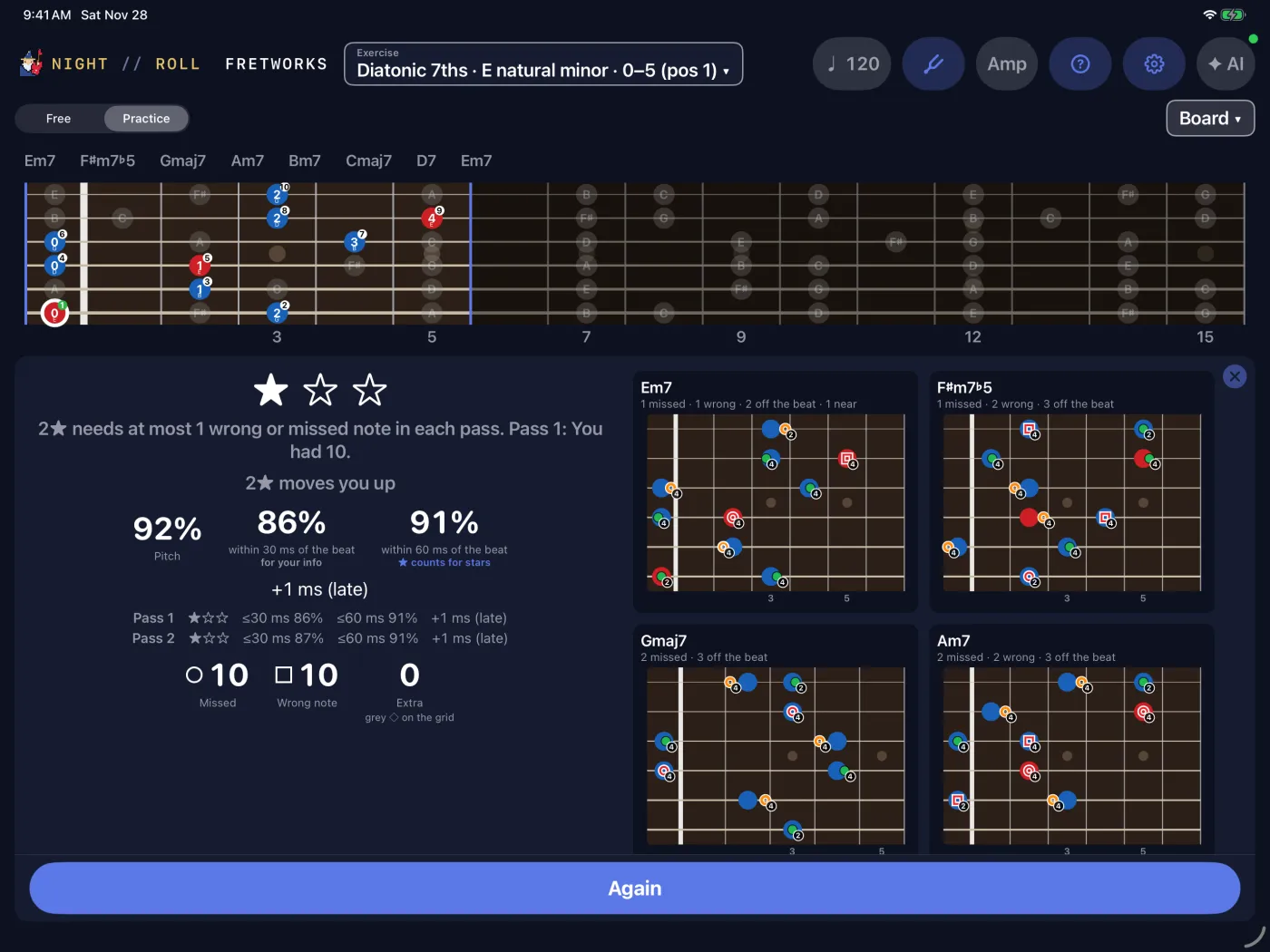
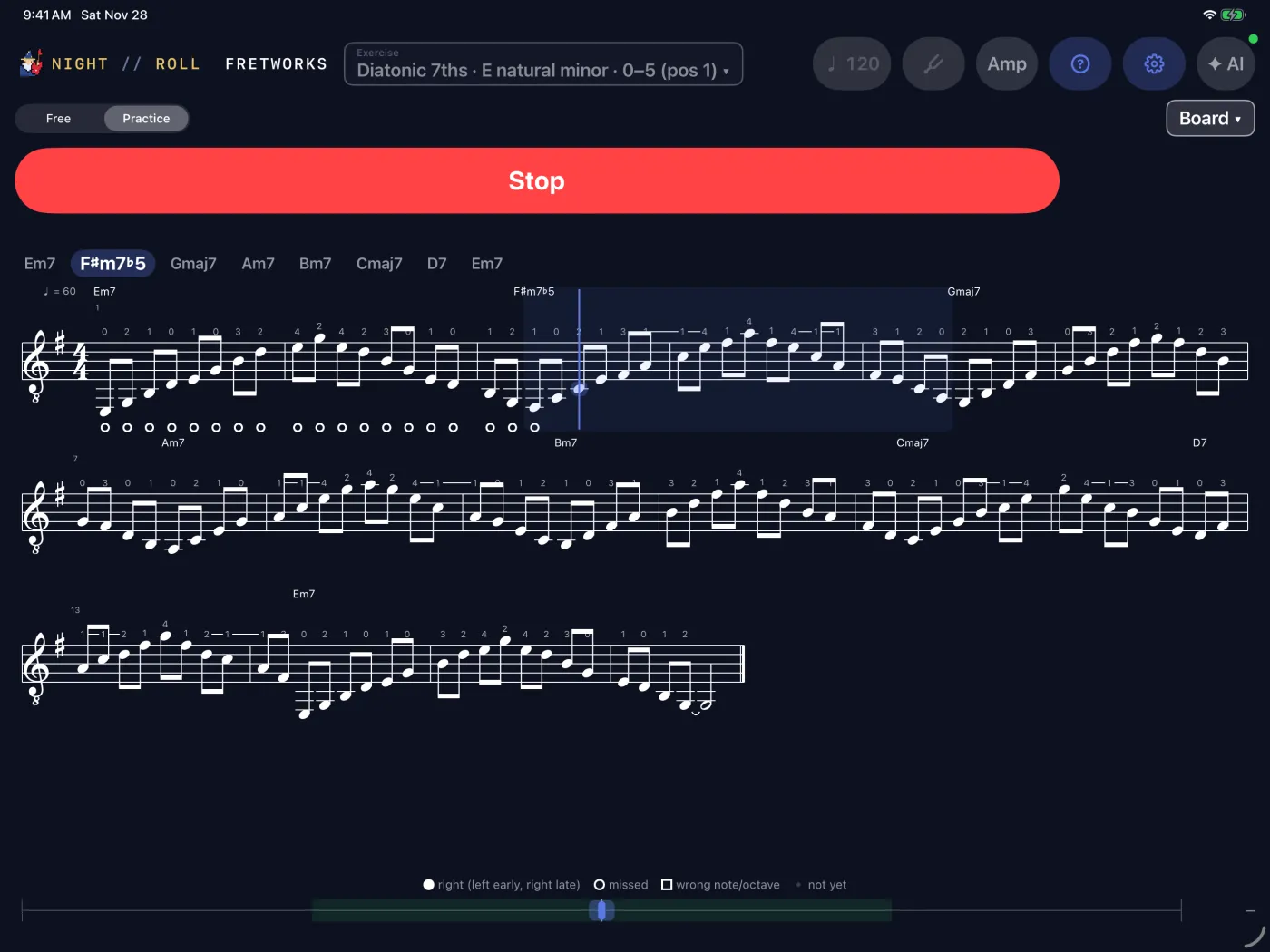
- Every note is checked for pitch and for timing. You get stars, the counts, and a lane with a mark for each note.
- The same marks sit on the fretboard, and the result card says what held a pass back.
Tempo ladder
From 40 beats a minute toward 300
- Two-star passes move you up the ladder.
- Quarters, 8ths, triplets or 16ths, a plain rhythm, rest bars, or a ladder through all four.
- Repeat 1, 2, 4, 8 times or until you press Stop.
- Wait mode holds until you play the next note.
See it four ways
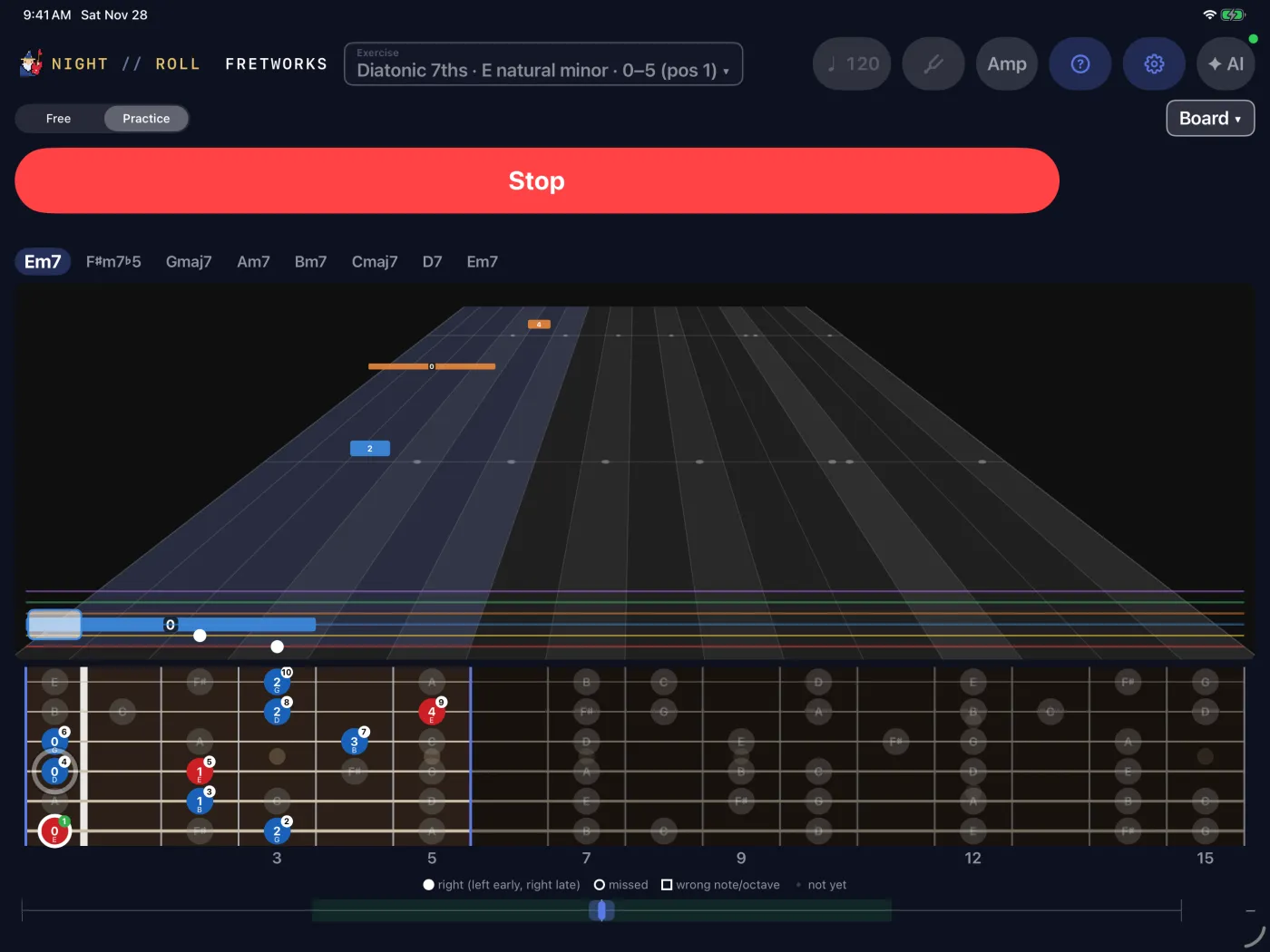
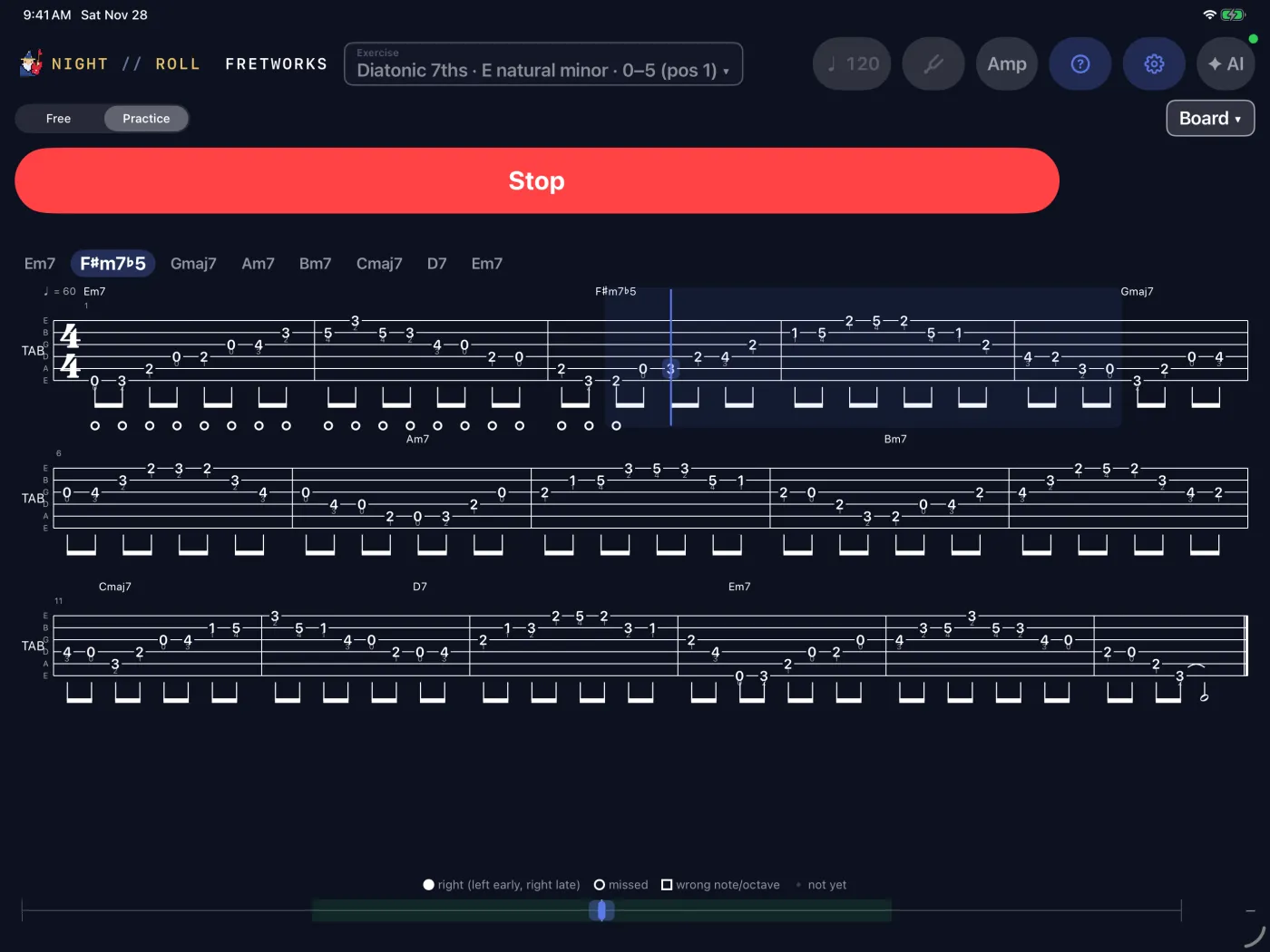
Fretboard, tab, score or highway
- 15, 21, 22 or 24 frets, left-handed mode, inlay style and other tunings.
- Progress is kept for each tuning.
What you can play
Arpeggios, scales, a course and real pieces
- Arpeggios (major, minor, maj7, m7, 7) in CAGED shapes.
- Scales from major, minor and the pentatonics through the modes, melodic and harmonic minor families, bebop, symmetric, Japanese and more.
- Diatonic chords, a one-note timing drill and rhythm patterns.
- A nine-unit course takes each exercise through all 12 keys; Today gives you a short set for the day.
- Five built-in public-domain pieces: In the Hall of the Mountain King, the theme of Caprice No. 24, Summer (Presto), Bourrée BWV 996 and Spanish Romance.
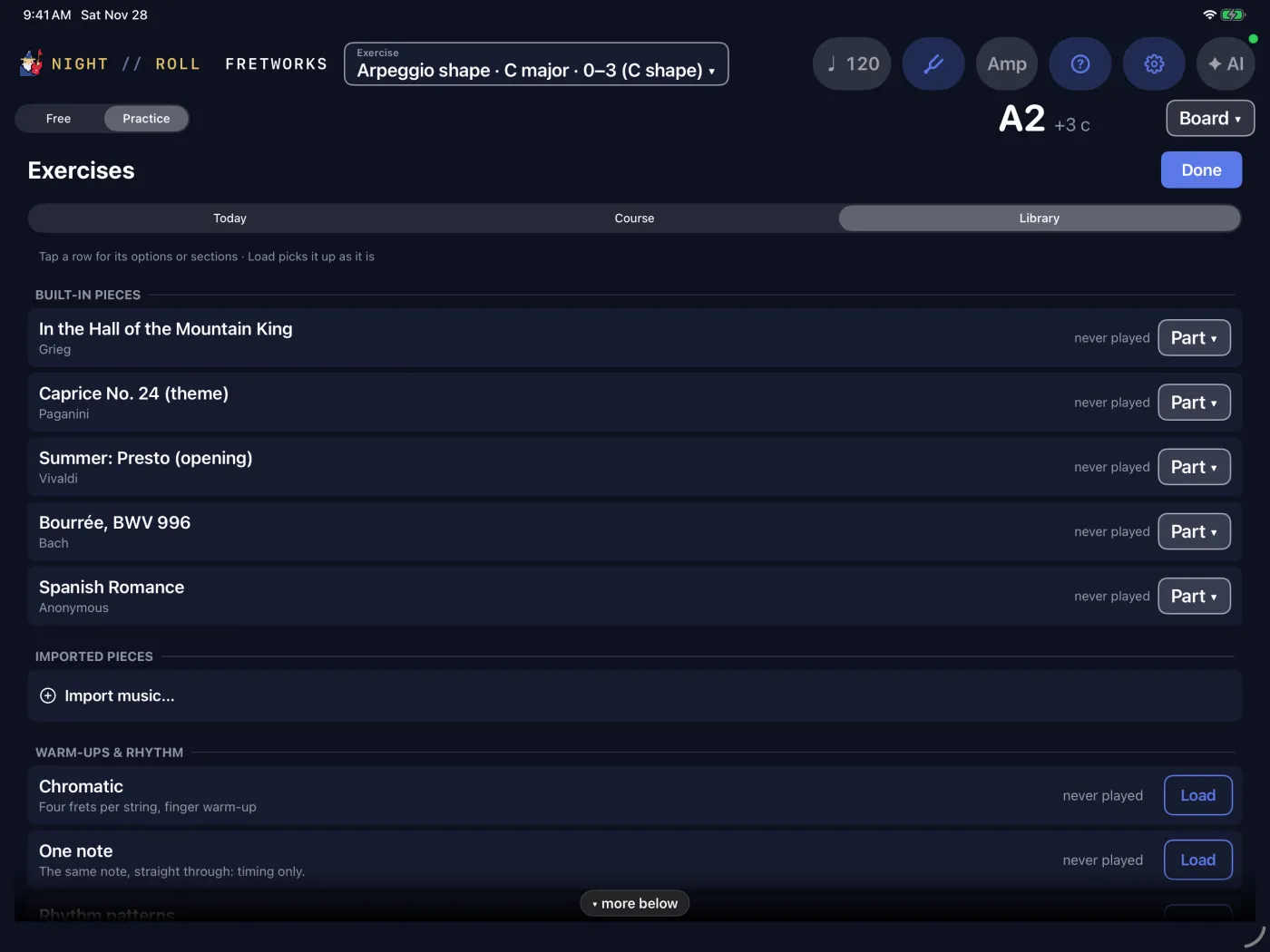
Your own music
Open your files and practice any bars
- MIDI, MusicXML, Guitar Pro (.gp, .gp5) and text tab files from Files.
- Practice the whole song or drag across the bar strip to loop any bars, at 10% to 200% of its tempo.
- The other parts (bass, drums) play along as backing.
Tools and the assistant
Tuner, metronome, amp, and help when you ask
- A tuner with a needle and string chips.
- A metronome with meters from 1 to 15 beats, accents, subdivisions, tap tempo and count-in.
- A modelled amp with heads and cabinets; import your own cabinet files.
- Optional AI assistant: Apple's on-device model on devices with Apple Intelligence, or a server address you enter. It gives hints first.
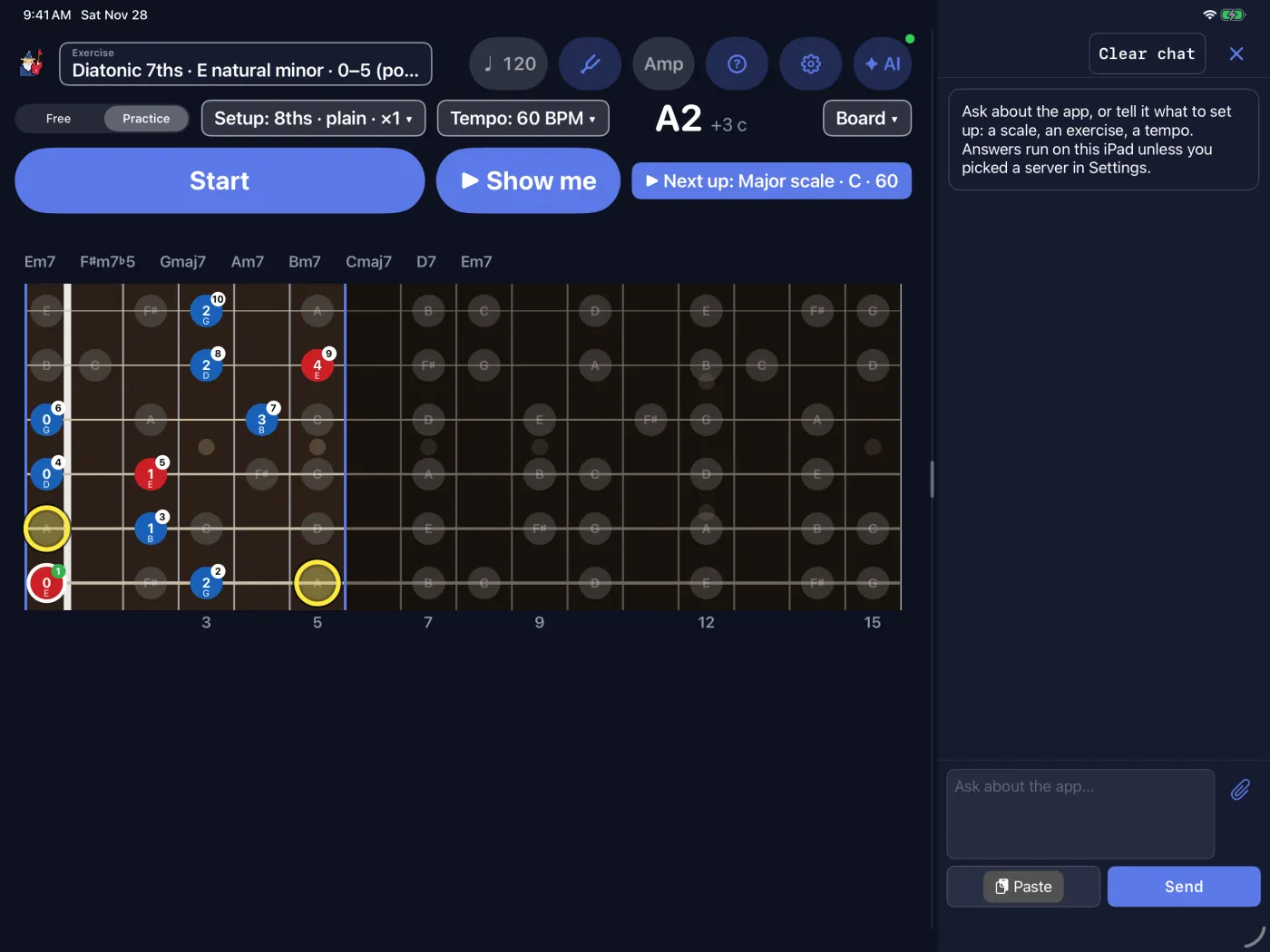
System requirements
| Device | iPad |
|---|---|
| Requires | iPadOS 17 or later |
| Input | The iPad's microphone, or a USB audio interface or cable. Headphones or a cable are needed for timing grades. |
| Price | $14.99, one-time. No in-app purchases. |
| Privacy | Audio is analysed on the iPad and not sent anywhere. No account, ads or tracking. |
Questions
Do I need an audio interface?
No. The iPad's microphone works for pitch. With the iPad's own speaker and microphone, timing is not graded, because the click would be heard as a note. Use headphones or a cable for full grading.
I play left-handed.
Turn on left-handed mode in Settings and the fretboard flips.
Can I use other tunings?
Yes. Other tunings are in Settings, and progress is kept separately for each tuning.
Which files can I import?
MIDI, MusicXML, Guitar Pro (.gp, .gp5) and text tab, from Exercises > Import music. See importing your files.
Can I try it without a guitar?
Tap the on-screen board to hear notes, or press Show me to watch a hand play an exercise.