
Guides / Fretworks & Tuner
Using the Tuner
Tunings and your own tunings, capo, reference pitch, bass, the strobe, and the intonation check.
- Tuner
Tune a string
- Pick a tuning with Tuning in the header.
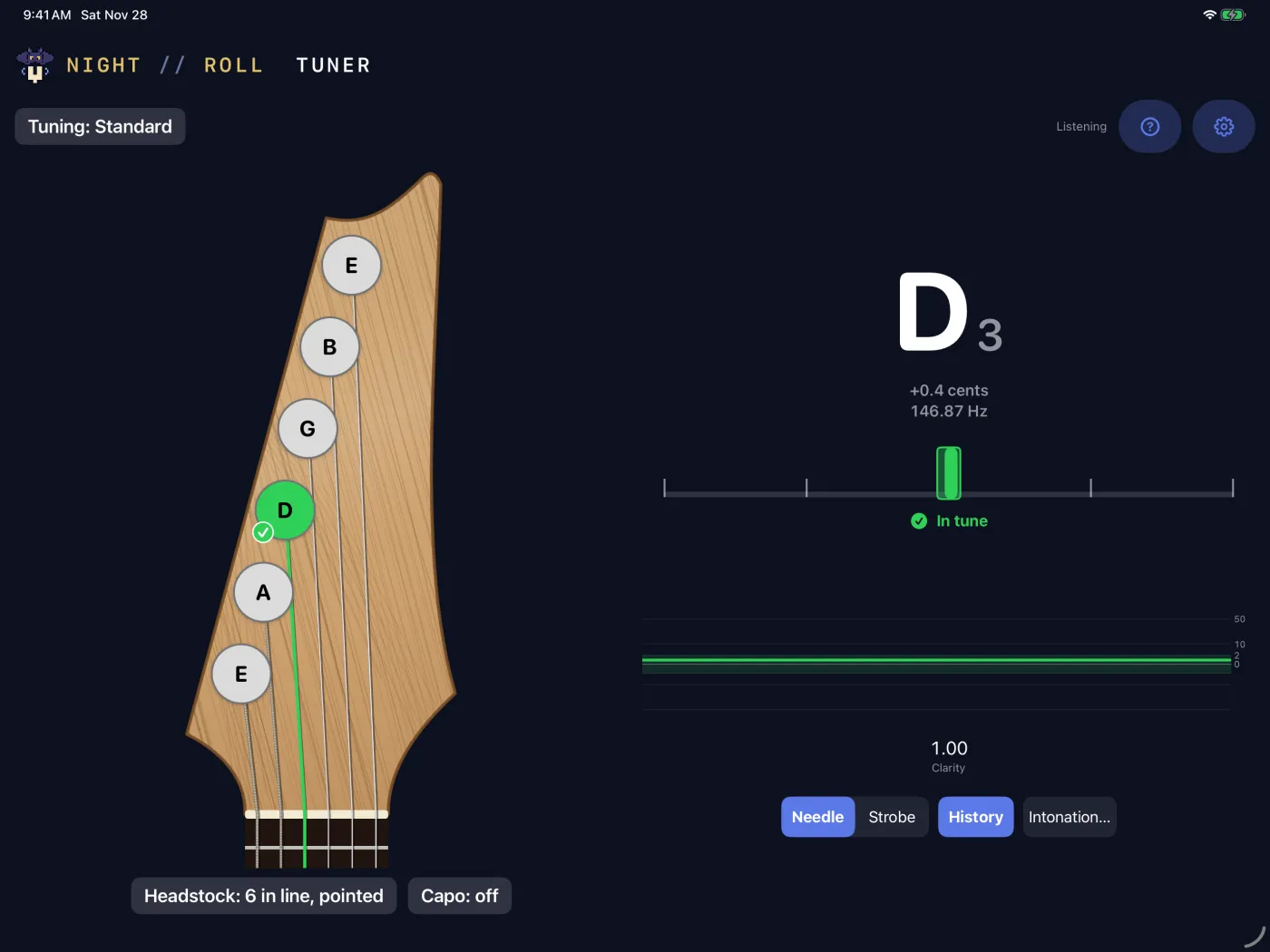
- Play one string at a time. The big note, the needle, the cents and the frequency show what the tuner hears; the peg of the nearest string lights up.
- The needle turns green within 2 cents. Hold the note steady in the green for half a second and it says In tune (an iPhone also taps your hand).
- To tune to one string only, tap its peg: the needle locks to it (tap again to unlock). Tapping a peg also plays that string's target note.
Tunings
- Built in: Standard, Half step down, Full step down, Drop D, Drop C♯, Drop C, Open G, Open D, Open E, DADGAD; 7-string, 8-string, Baritone B and Baritone A; Bass 4-string and 5-string.
- Your own: the last row, Edit tunings. New tuning copies the one you're on. Set the name, Guitar or Bass, 4 to 8 strings, each string's note and a small cents offset per string. Shift all moves every string a semitone. Changes save as you make them.
- Delete asks first and moves a tuning to Recently deleted, where Restore brings it back. Built-in tunings can't be edited; copy one first.
- Capo: Capo: off under the headstock picks frets 1 to 12; the targets and tones follow it.
Reference pitch (calibration)
⚙ › Reference pitch (A4) sets what the tuner calls A4, from 430.0 to 450.0 Hz in 0.1 steps, with presets 432, 440, 442, 443 and 444. When it isn't 440, the main screen shows it. The Hz readout always shows the real frequency.
A little off from another tuner? Check the reference pitch and the capo.
Bass
The tuner reads notes down to B0, so it covers a 5-string bass. Use a cable or interface for bass: the iPad's microphone loses most of a low string's fundamental. Connecting an interface.
Needle or strobe
- Needle | Strobe switches the display. The strobe's bands slide right when sharp, left when flat, and stand still in tune; the bottom band shows a tenth of a cent.
- Slow (strobe only) calms the bands, and the hint line says “tune up” or “tune down” until you're there.
- History graphs the last 10 seconds. After a string reads In tune, a later pluck may say Still settling (gone flat), Drifted (gone sharp) or Holding.
Intonation check
- Take the capo off. Tap Intonation…; it walks through the strings, lowest first.
- For each string, touch it over the 12th fret and pick it (a harmonic), then press it at the 12th fret and pick it.
- If the fretted note is sharp, move the saddle back, away from the neck; if flat, move it forward. Within 1 cent it says to leave it.
Results are kept per tuning and string; tap a row to check that string again.